
What is user experience? What is usability? These concepts are fundamental in the digital world because most activities involve an interface with the user/customer.
UX consists of a person's perceptions and responses resulting from the use or anticipated use of a product, system or service (and any interaction with the company).
User Experience concerns all the touchpoints through which customers come into contact with a company, so it refers to both digital and non-digital tools (advertising, websites, apps, stores, etc.).
Usability refers to any human-machine interface. The general definition given by ISO (International Organization for Standardization) is:
The effectiveness, efficiency and satisfaction with which specific users achieve specific goals in specific contexts. In practice, it defines the degree of ease and satisfaction in the interaction between a person and a tool (console, gear lever, graphical interface, etc.)
Specifically, I will discuss UX and usability in the digital world, meaning web and mobile/app interfaces.
Strategically, usability sits within the broader world of User Experience (UX).
UX is the customer's all-round experience in their relationship with a digital service or product. What is the customer's experience when browsing the website? What do they do? (We analyse behaviours.) What do they get? (We analyse results.) How do they feel? (We record sensations and emotions.)To summarise the relationships between user experience, usability, emotions and visual design, I have represented them with the following formula:
User Experience = F (V, U, GF)
Let us look at them in detail and see how to maximise this function, before analysing the usability component more closely.
Value (V)
In the formula, V represents value: our website's value proposition, the usefulness the user receives.
It is the first and most important element, because on its own it can determine whether the User Experience is good or bad.
For example, if we gave away handbags on our website, we could have an ugly interface with poor usability but still offer an exceptional user experience.

Just think of the first porn websites of the 1990s: dreadful visuals and usability, but many happy users :-)
So value = usefulness the more useful we are, the better the UX will be.
Usefulness has different aspects, in this order:
- Desired
- Expected
- Perceived
- Actual
This distinction is important because it helps us identify the need and understand whether there is a gap between what is expected and perceived, or between what is actual and perceived.
Only what the customer/user perceives exists so if value exists but is not recognised, it is as though it were absent, and closing this gap is essential.
For example, if I search Google for “book a family cruise” and land on www.crocieraperlafamiglia.it, wanting to book a holiday, I expect to find all the information about routes, prices and dates.
If instead I found only information about travelling with children, with no offers or booking options, there would be a gap between what was expected and what was perceived.
To complete the example, the pricing and booking section might exist, but the visitor might be unable to reach it. This is precisely where usability and good website design come into play.
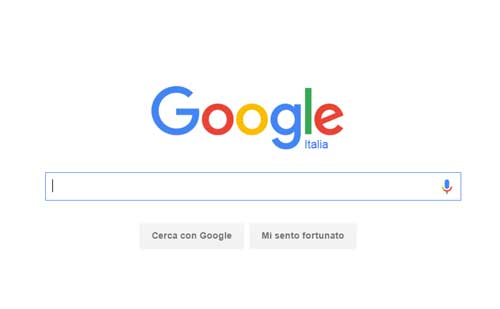
Google's interface is entirely focused on the value provided by its search engine. When the Mountain View company entered the market, the search engine landscape was very confused: search services had become inefficient, people could pay to move up organic results, and pages also contained directories.
Below is the home page of altavista.com, which I used years ago :-(
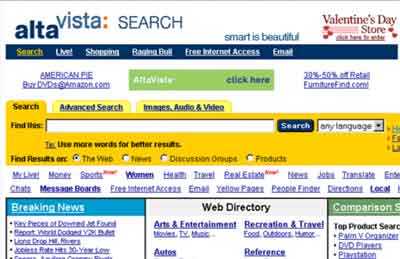
Google calls the effect of an excessively complicated user interface, with too many features and too much content, the “spiral of doom”.
Usability (U)
Now we come to the usability component. If value = usefulness, then usability = ease.
A website or app is usable if users can use it and extract its value easily, naturally and without having to think too much.
The aim is to reduce the gap between perceived and actual value.
In a highly competitive market, where visitors/consumers have little time, move quickly and are not loyal, ease of use becomes an important differentiator. For anyone doing business online, usability has become essential.
 Cover of Steve Krug's famous book Don't Make Me Think (link here to the Italian version)
Good feeling (GF)
Good feeling is the last variable in our formula. By GF I mean any sensory element that creates a positive feeling for the user.
The key component of GF is how visual design (also called graphics or look and feel) works with the overall structure.
To maximise user experience, good graphics are neither essential nor sufficient: what matters is that they do not steal the show, but help and guide users towards their goal.
We could say that visuals should be like a good sports referee: when you do not notice them, they are doing a good job, and spectators can enjoy the game to the fullest.
“Good design is actually much harder to notice than poor design, partly because good design fits our needs so well that it becomes invisible.” – Donald Norman
We also find the concept of good feeling applied in retail. For example, in an IKEA store, the use of lighting and music helps create a good mood for consumers and enhances products without stealing the show.

Recent online design trends move precisely towards minimalism (better to remove than to add). Flat design and material design are concepts based on clarity and simplicity to enhance usefulness. In addition, new technologies make it possible to design UIs that do not require page reloads and respond smoothly on both desktop and mobile devices.
NO FRILLS, JUST DO IT!
In digital projects, mistakes with visuals are the most common. Sometimes choices are based on personal taste rather than objectives and the end customer, sacrificing usability and the final UX.
The most important thing before maximising user experience is certainly to define the objectives! The variables can move in different ways depending on our ultimate goal.
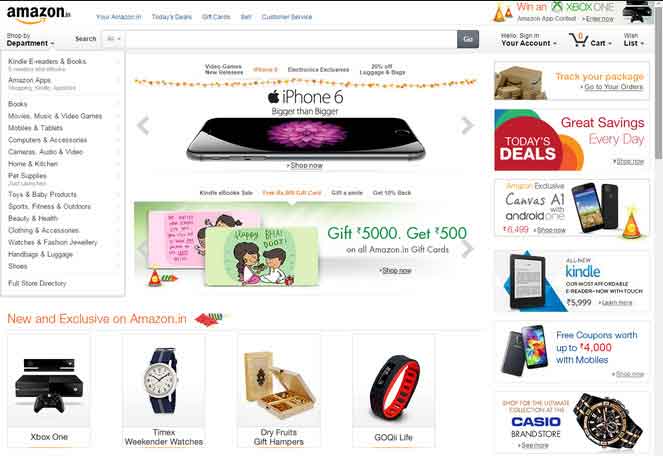

Amazon's website does not stand out for its objective beauty, but its visuals and usability are designed to maximise sales.
Let us close this part with a quotation from Jakob Nielsen (the father of online usability), which neatly summarises the concepts discussed so far.

How to make a website usable
What factors make a website easy to use?
First, we need to establish and be very clear about the website's objectives and value proposition (why people should visit our website and what sets us apart from others). Once this is done, the factors to work on to ensure the best usability are:
- Information design and labelling
- Interaction design
- Page structure and grids
- Text (copy)
- Consistency and conventions
- Speed and performance
Information design and labelling
The first thing to do in online design is to identify the information architecture: what are the main categories? How do we group content and features?
For example, a travel website might organise information into the following categories: holiday packages, flights, hotels, places to visit and travel tips.
Once the information structure is defined, we must also apply the right labels so users clearly understand the content. Here, it is important to understand the conventions used in a specific market.
The architecture must also consider the features we want to provide, such as registration, a quote tool, a community, and so on.
Information design must make usefulness explicit through a clear, straightforward architecture.
Interaction design
We have the structure and the component names; now we need to understand how users can interact with them and navigate the entire website.
The aim is to give visitors “objects” that help them answer these simple questions: where am I, where have I come from, and where can I go? Online, we have no sense of scale, location or direction.
Here are some of the most widely used techniques for answering these questions:
- menus with persistent navigation
- breadcrumbs
- mega menus
- internal search engines
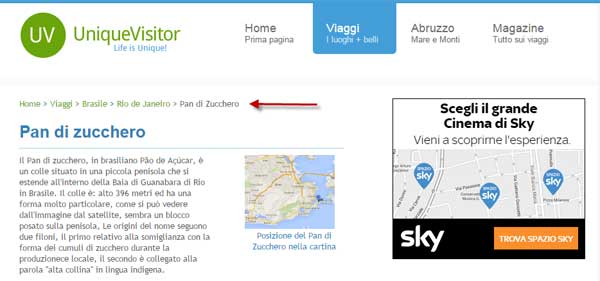 Example of breadcrumbs
Menu interaction can be on click or on mouseover; it all depends on the specific navigation structure and depth. The more content and categories there are, the more attention we need to give to the interaction tool.
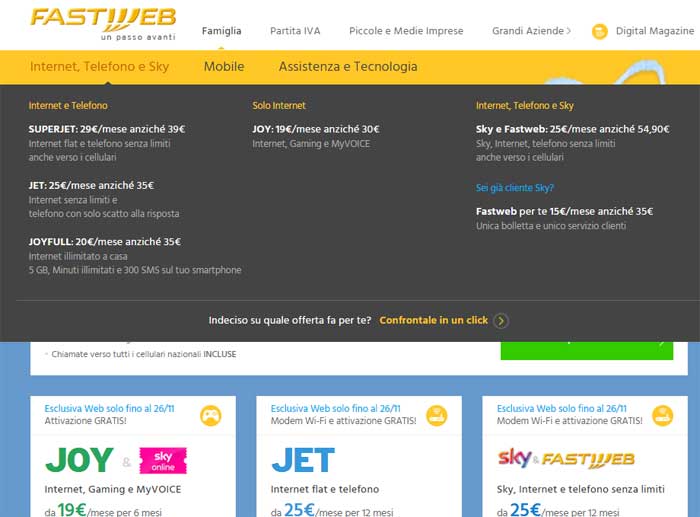
Above is the mega menu on Fastweb's offers website. This tool is very useful because it lets visitors quickly understand the content of internal pages and the website structure (in this case, also the structure of the offering). Usability tests have shown that mega menus are highly appreciated because they quickly answer “where can I go?” without having to visit every section of the website; increasing screen resolutions also help make this technique effective.
Mega menus suit websites with particularly complex structures (for example, the NIKE website's mega menu).
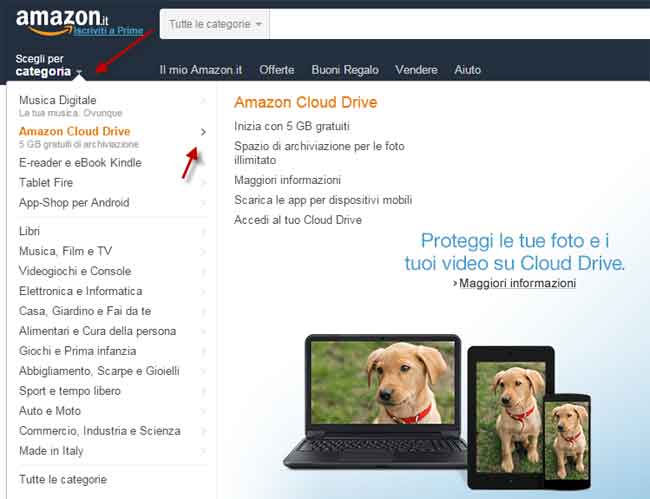
Amazon's choice is to open the navigation menu on mouseover of “Choose category”, then expand a side mega menu from there.
In this case, the breadth of Amazon's content creates greater complexity in the interaction system. Once inside a section, the menu structure becomes very elaborate: a side menu, a contextual menu at the top, a structural menu and a service menu (access your account, basket, wish list, etc.).
In Amazon's structure, we can see the persistent top menu that follows navigation, with the items amazon.it, Deals, Gift Cards, Sell and Help; the service items on the right of the header are also persistent.
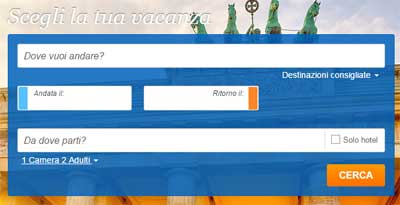
Interaction design must determine whether and how to present key features differently. Returning to the travel example, a key tool such as the flight and holiday search engine might sit at the centre of the home page to encourage user action.
Page/screen structure, grid system and wireframes
When building pages (or app screens), it is important to maintain a clear, consistent structure. Grids simplify page organisation. Positioning elements correctly within the grid helps users read and scan content.
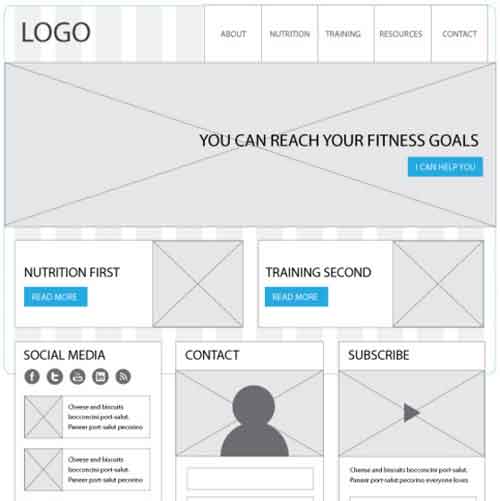 Example of a wireframe with a grid
We should try to keep the same grid throughout (internal consistency), making use of what users have learned when they visit other pages. A change of format should be justified only by a better way of representing a different type of content.
A page is like a conversation: if too many people speak at once, nothing gets through. We need a hierarchy, an order in which users consume the content.
Logical relationships between elements must also be visible; areas must be identifiable, and we need to reduce the cognitive noise caused by an overcrowded page.
To reduce the amount of information and content displayed on the page, we can use accordions which are simply expandable areas (like an accordion): clicking, typically on an arrow or a + sign, opens a subsection within the page.
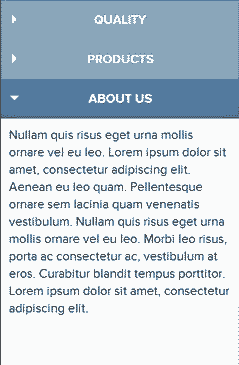 Example of an accordion
Copy Strategy
One rule of content creation says: get rid of half the words on every page, then get rid of half of what remains.
Remember that visitors have little time and read by scanning the page (so most of it is ignored); content must therefore get to the point and provide value immediately.
Besides quantity and quality, we need to pay attention to the right tone of voice: direct, informal, formal, professional, lively, ironic, and so on.
Spacing, font size and typeface should be chosen to improve readability and understanding of the messages.
Consistency and conventions
Using conventions is important for making a website usable: they help customers quickly learn a new interface because it inherits approaches used on other websites. Examples include the company logo at the top left, the menu at the top or on the left, underlined links, the internal search engine, and so on.
If we got into a new car, we would certainly be able to drive it immediately if the gears, handbrake and pedals were in their conventional positions.
Creative designers devise very unusual interfaces that may approach art forms but are risky if we want to do business online.
Speed and performance
This is an obvious aspect and therefore often underestimated, but Google considers it an important factor in its indexing criteria.
A slow website automatically has poor usability! That's it!
The end result is a negative user experience that also affects the brand.
When launching a new project, make sure minimum speed standards are met.
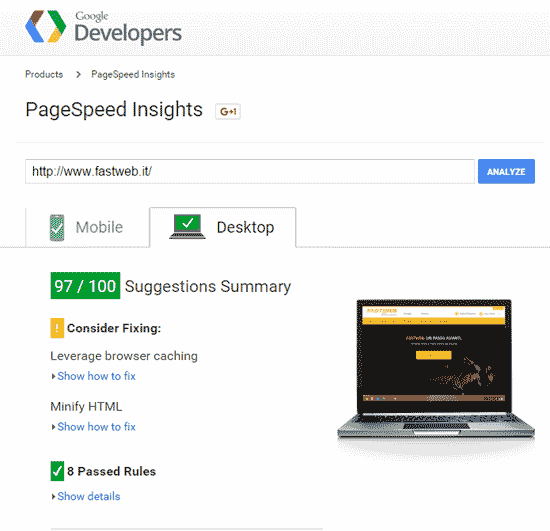 Google PageSpeed
To check your website's speed, I recommend the tool provided by Google, https://developers.google.com: simply enter the address in the field and click Analyze.
It is advisable not to fall below a score of 70/80.
This check is also important for SEO analysis, for the reasons discussed at the beginning of the section.
Another useful tool for speed analysis is gtmetrix.com.
Both tools also have the advantage of showing where speed problems lie and how to resolve them.
Recommended books