
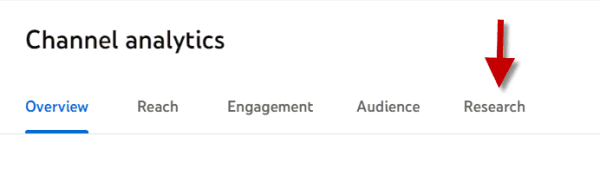
Within the analytics for your YouTube channel, there is a very interesting feature called ‘Research’. You can access it from the last item in the horizontal menu (see image) within YouTube Studio (studio.youtube.com).
We could describe this new section as a version of Google Trends specifically for YouTube.
Google Trends already lets us see the words searched for on YouTube, but the information is very limited.
What data does the ‘Research’ area within YouTube Analytics offer instead?
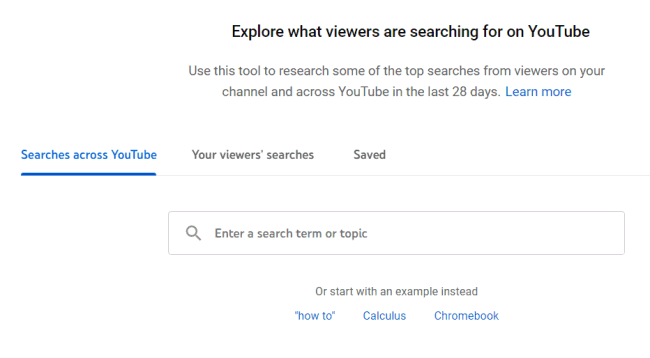
YouTube search
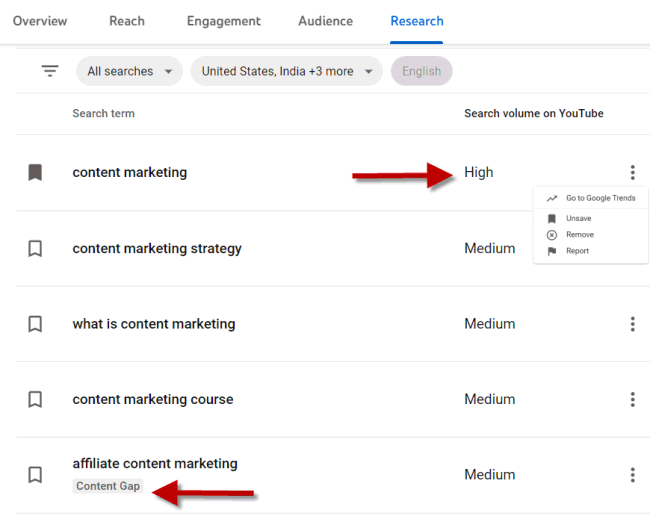
As with Trends, this section shows the search volumes for the words we enter in the field, with three possible values: high, medium and low.
What your direct and lookalike audiences search for
The most interesting feature is certainly ‘Your viewer’s searches’, which tells me what people search for on YouTube, both among the audience watching my channel and among similar (lookalike) audiences following similar channels.
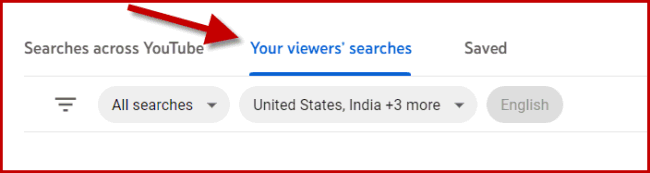
The data refers to searches made in the last 28 days.
This report is clearly very useful for getting ideas for new content and/or studying a particular audience in more depth.
Access to this data is one more reason to create your own channel, regardless of any ambitions to become a content creator.
Gap analysis
Both the YouTube search report and the audience report offer an interesting content-marketing feature called: content gap.

In practice, it tells me that there is a lack of content on YouTube for the need expressed by that keyword, or that content exists but is of poor quality (here, quality means the technical quality of the video, such as poor audio, low resolution, etc.).
A smart practice is to identify topics with a gap and save them using the button to the left of the word, so you can find them later in the ‘saved’ section.